
In a regulated project, a release is never a single moment. Customer and system requirements are approved and frozen, while subsystem and design work goes on underneath them. Siemens Polarion ALM models this with Collections: a named set of documents, each pinned to the baseline it was approved at, or left live.
From version 26.10, Nextedy POWERSHEET, the traceability app for Siemens Polarion ALM, opens inside a Collection. The same sheet shows every level exactly as the collection holds its documents.
Watch the walkthrough (3 min):
Head keeps moving. A release must not.
Opened on its own, a traceability view reads every work item at its current revision. It mixes what was approved with whatever has changed since. That is the wrong view for the question an assessor asks: which revision of each work product does this release rest on?
A baseline answers that for the whole project at once. A Collection answers it one document at a time, which is how teams actually work: the upstream level is approved and frozen, and the downstream level is still being written against it.
One sheet, inside the collection
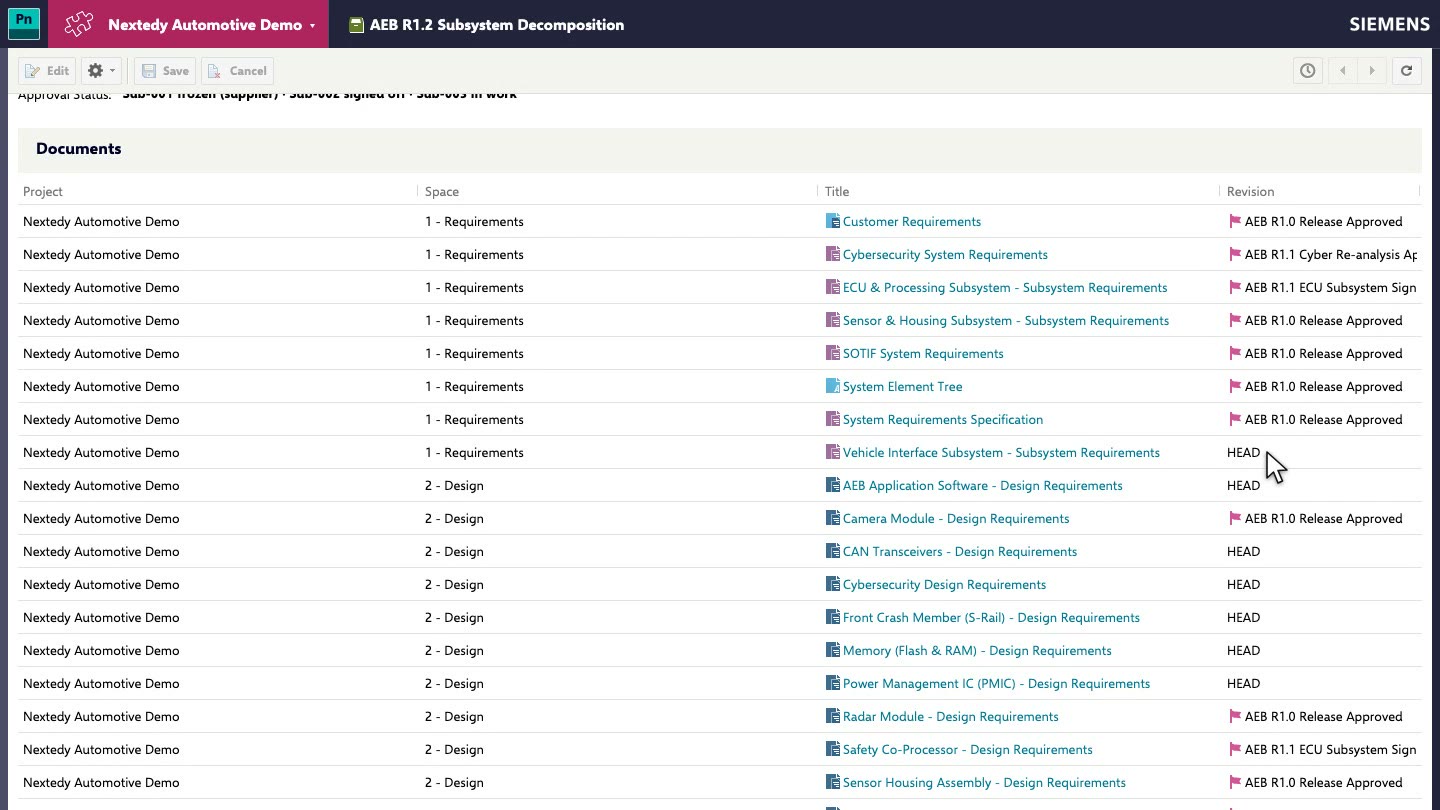
Pick a collection in Powersheet Drive, or open the sheet from a document inside one. A green label above the title says which collection the sheet reads.
Only what the release holds. Rows come only from the collection's documents. Linked levels stop at its boundary, and item pickers offer only its work items.
Each work item at its approved revision. A row from a pinned document shows the work item as it was approved, marked with Polarion's revision badge. Later changes do not leak in.
Nothing extra to configure. The same sheet and configuration serve every collection, and the sheet opened without one behaves as before.
Frozen where approved, editable where work continues
A collection does not make the whole sheet read-only. Editability is decided row by row, by the row's document:
Pinned document: the row is read-only. Its cells do not open an editor.
Live document: the row is edited and saved as usual.
New items go into a live document. Add a subsystem requirement under a frozen system requirement, and it is created in the subsystem document still at head, already linked to its frozen parent.
Where no live document of the collection can hold a new item, the sheet says so instead of creating it somewhere it does not belong.

Engineers author and link the downstream level against an upstream that cannot move under them. Reviewers see exactly what they are reviewing.
Review a gate, compare releases
Review a gate. In a collection where every document is pinned, the sheet is the approved record: every work item as it was signed off, and nothing to edit.
Compare releases. Open the same sheet in two collections. Only the collection changes; each view shows its own revisions of the same documents.
Any Powersheet. It works the same in a requirements traceability matrix, a cybersecurity verification sheet, or any other sheet you have configured.
Learn more
The documentation explains what a collection scopes, how editing works inside one, and how to open a sheet in a collection: Collection-scoped sheets and Open a sheet in a Polarion Collection.
If your releases run on collections, we would like to show you more. Book a meeting, or read more about Powersheet.