
In a medical or automotive project, a risk analysis is not signed once at the end. Every risk is approved on its own, by several reviewers in parallel: safety, quality, the clinical lead. Siemens Polarion ALM keeps those approvals on each work item and shows them beside the document.
Nextedy RISKSHEET, the risk analysis app for Siemens Polarion ALM, now brings the same approvals into the sheet, where each risk can actually be judged.
Watch the walkthrough (3 min):
With AI, review is the work
AI is changing how a risk analysis gets written. A first draft of hazards, harms and risk controls, which once took a team days, can now take minutes. The writing gets faster; the responsibility does not move. Every risk still needs a qualified person to look at it and accept it, and a regulator or an auditor will still ask who did.
So the more content AI helps produce, the more of the engineering effort shifts from writing to reviewing. Approvals stop being a formality at the end of the project and become the main control: the point where a human judges each item, and leaves a record that they did. That only works if reviewing is quick and well informed, and if the record sits where your process expects it.
What an approval signs
An approval is a signature on a judgement, and you can only sign what you can see. In the document view, a reviewer approving a risk sees its title and one line of description. The severity, the probability, the risk controls and the residual risk are not there.
All of that lives in the risk sheet. It is where the analysis is entered and where it is reported from, so it is also the right place to approve it.
Approvals on the row
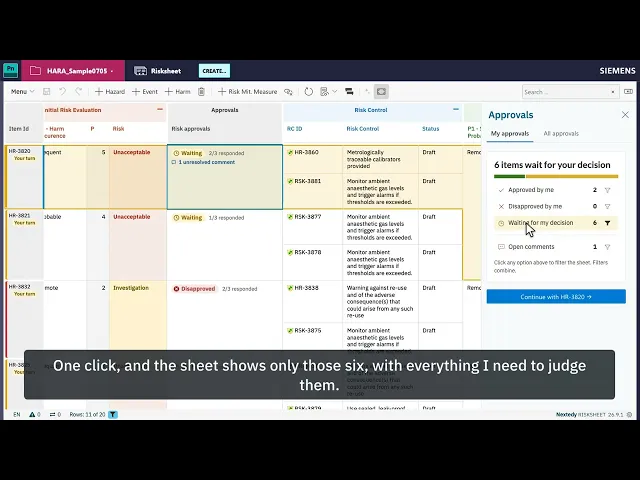
Risksheet shows each risk's approval state in its own column, on the same row as the hazard, the harm, the risk before controls, the linked risk controls and the risk after them. One look tells the reviewer what they are asked to accept and where the approval stands: still waiting, how many reviewers have answered, and whether a comment is open.
Every row that waits for your decision says so.
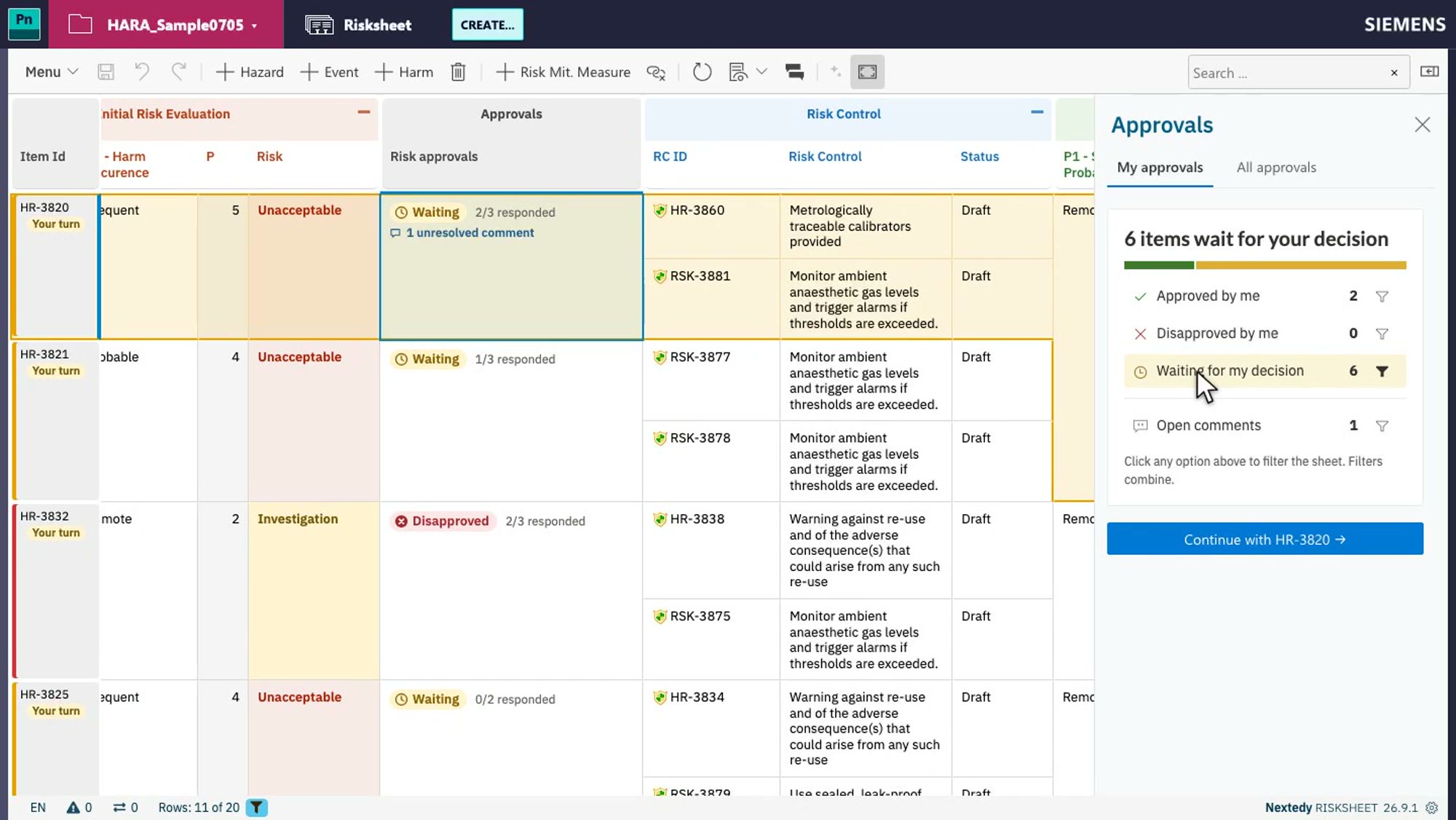
Decide where you review
Click the approval, and the approvals open in a sidebar beside the sheet:
Your waiting list. One click filters the sheet to the risks that wait for your decision, with every column you need to judge them.
The discussion on the risk. Open comments sit with the approval, so a claim such as "the controls were amended" can be checked against the row, not in another tab.
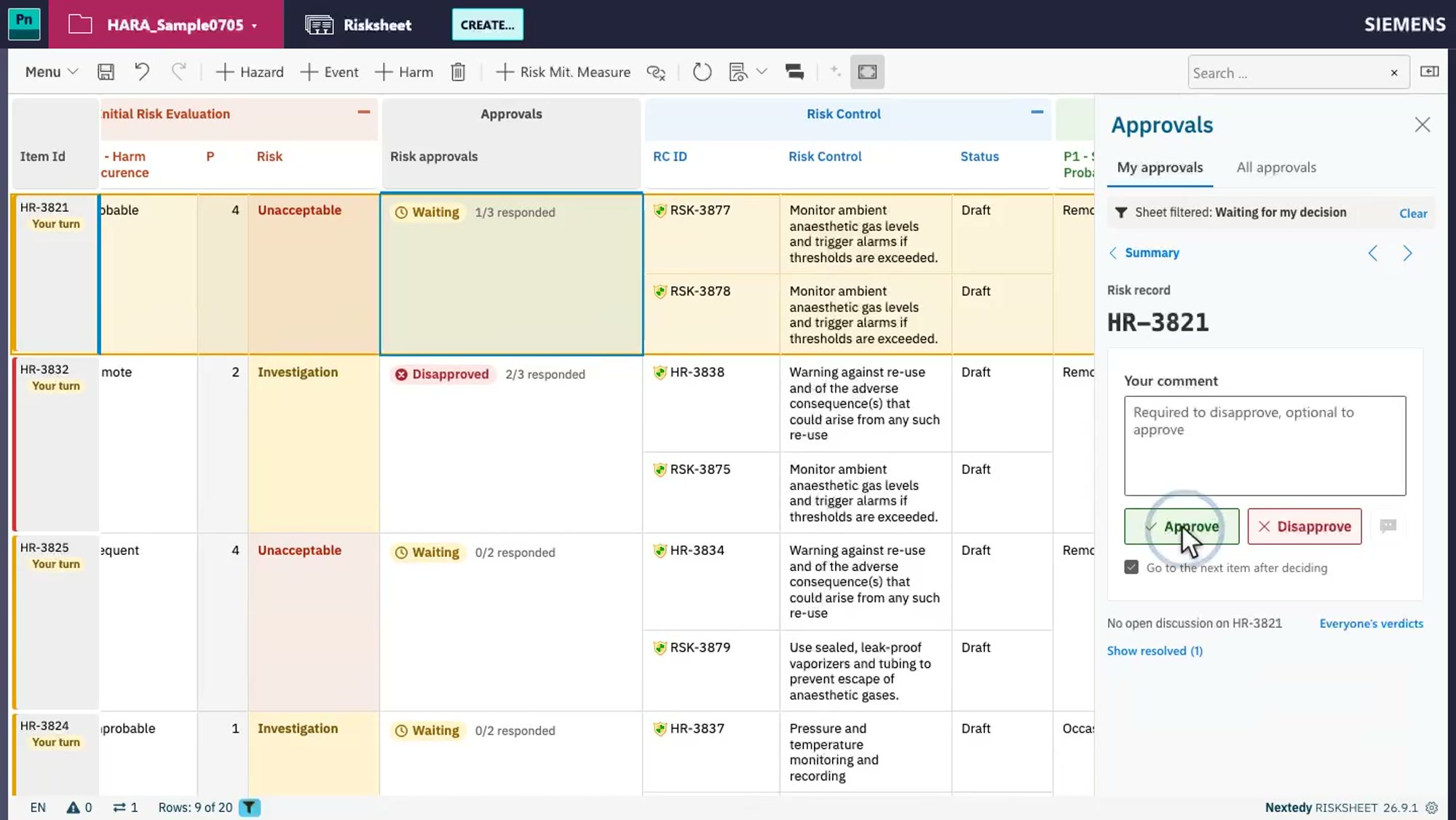
Approve or disapprove, with a comment. Your comment goes with your decision. A decided risk leaves your list, and the sidebar moves on to the next one.
When you save, the decisions are written to the work items in Polarion.
Who still owes what
The sidebar also summarises the whole analysis: how many risks are approved by everyone, how many have at least one disapproval, and how many are still waiting. It lists every reviewer with the decisions each of them still owes, so whoever prepares the sign-off knows whom to chase.
The same approvals Polarion keeps
Risksheet does not keep a parallel approval record. It reads and writes Polarion's own work item approvals, so the approvals sidebar of the Polarion document shows exactly what was decided in the sheet. Reviewers decide where the risk can be judged; the evidence stays where your process expects it.
See it on your own analysis
If your risk analysis is signed off item by item, we would like to show you more. Book a meeting, or read more about Risksheet.