
Embedded software meets the outside world through signals: a setpoint from a host controller, a value from a sensor, a parameter written from a service laptop, a firmware image. Every one of them crosses a trust boundary, and that is where attacks enter. STRIDE asks six plain questions of each crossing: can someone fake the sender, change the signal, deny having sent it, read it, block it, or use it to get more rights than it should?
The questions are simple. Keeping track of them is not. A threat model drawn once in a diagramming tool and summarised in a spreadsheet shows the threats someone found. It does not show the question nobody asked. This demo runs STRIDE inside Polarion with Risksheet, so the signals, the threats, the ratings and the reasons for ruling a threat out are all work items, and the gaps are visible.
Watch the walkthrough (4 min):
One controller every industry knows
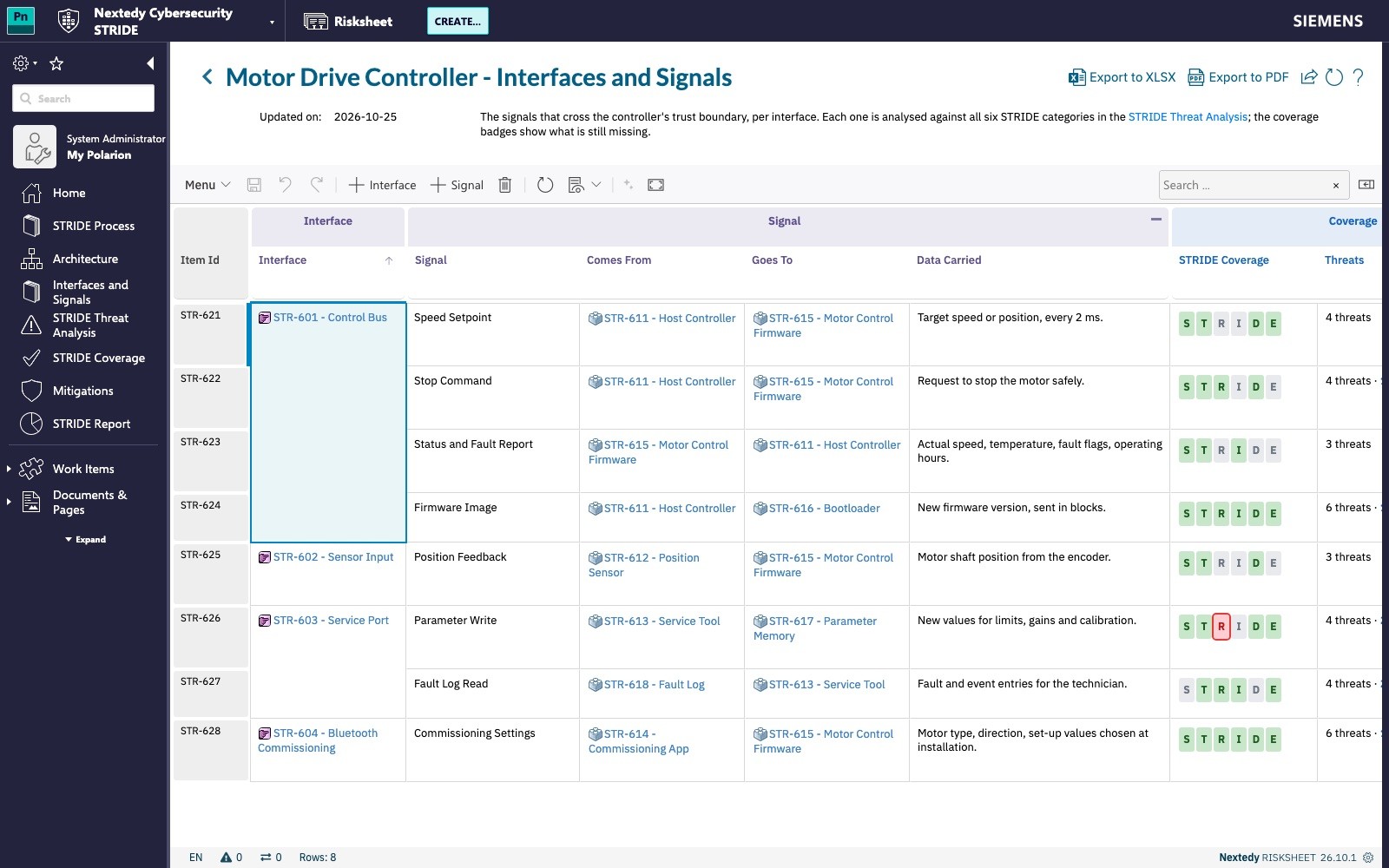
The example is the software inside a motor drive controller: the small computer that runs an electric motor. A robot joint, an infusion pump, electric power steering and a flap actuator all contain one. Eight signals cross its boundary on four interfaces: the control bus from the host controller, the position sensor input, the service port and a Bluetooth commissioning link.
Signals as work items
The first sheet lists the signals, grouped by the interface they travel on. Each signal records where it comes from, where it goes and what it carries. A row of badges shows which of the six STRIDE questions the signal has had: green where a threat is recorded, grey where the question was considered and ruled out, red where nobody has asked yet. In the demo, Parameter Write starts with a red R. Nobody has considered whether a technician could deny changing a limit.
Six questions, one row per answer
The threat analysis takes the signals one by one. Under each signal sits the element the threat is aimed at, the sender, the signal itself or the receiver, and then one row per threat. A device on the bus that sends setpoints in the host controller’s name is rated Critical before treatment: the motor could move when nobody asked it to. The mitigation, authenticated bus messages, is linked with its verification status, and the residual risk comes out Medium.
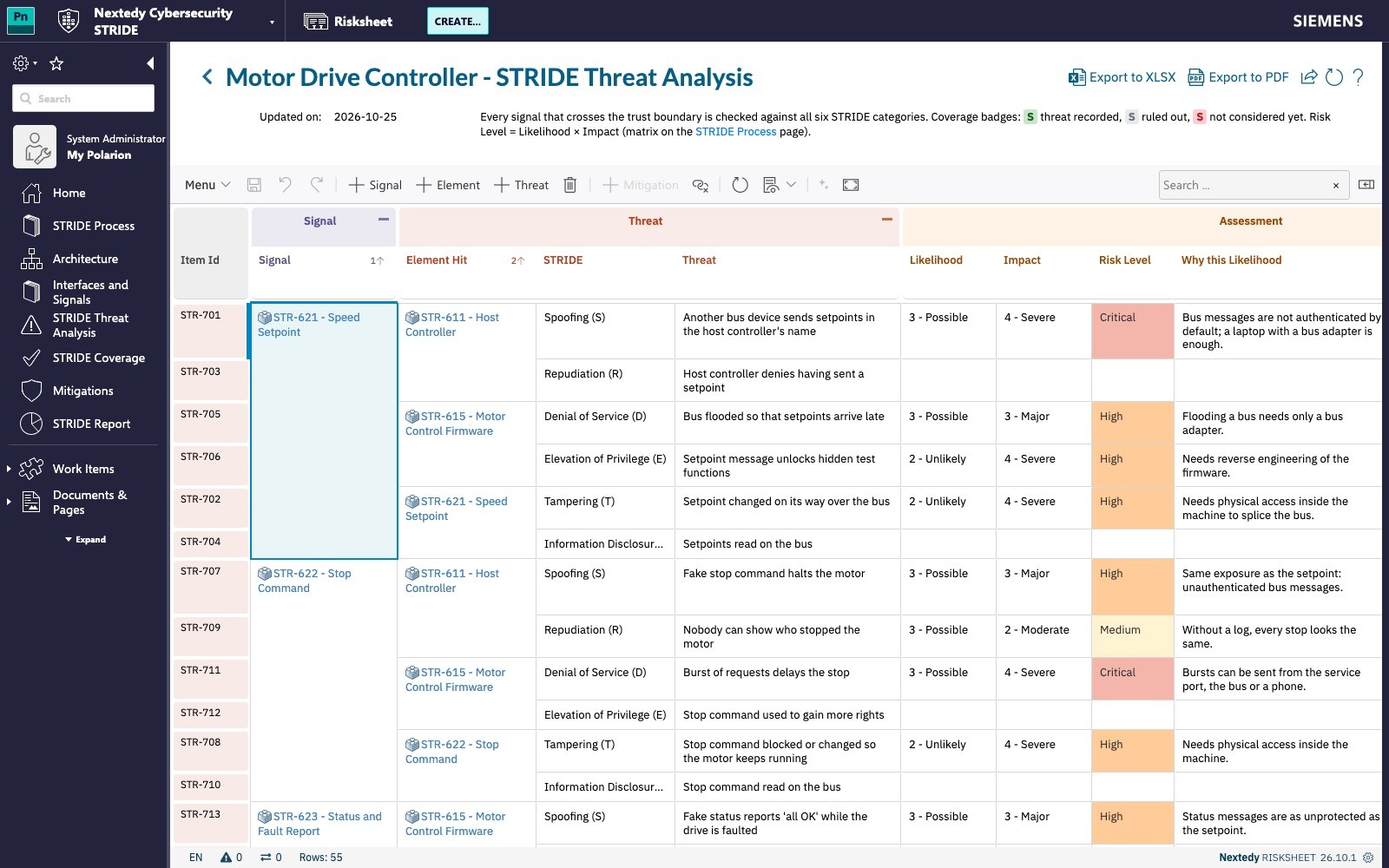
Some questions have no credible answer, and that is a result too. A setpoint carries nothing confidential, so information disclosure is ruled out with the reason written beside the decision. A column checks each category against the element type, the STRIDE-per-element rule, so a spoofing threat recorded on a data flow stands out. Saved views walk through the method in three steps: identify, assess and treat.
A gap, closed in the sheet
The coverage page, rendered from the work items each time it opens, lists every signal against the six categories and names the combinations nobody has considered. In the demo there is exactly one: Parameter Write and repudiation.
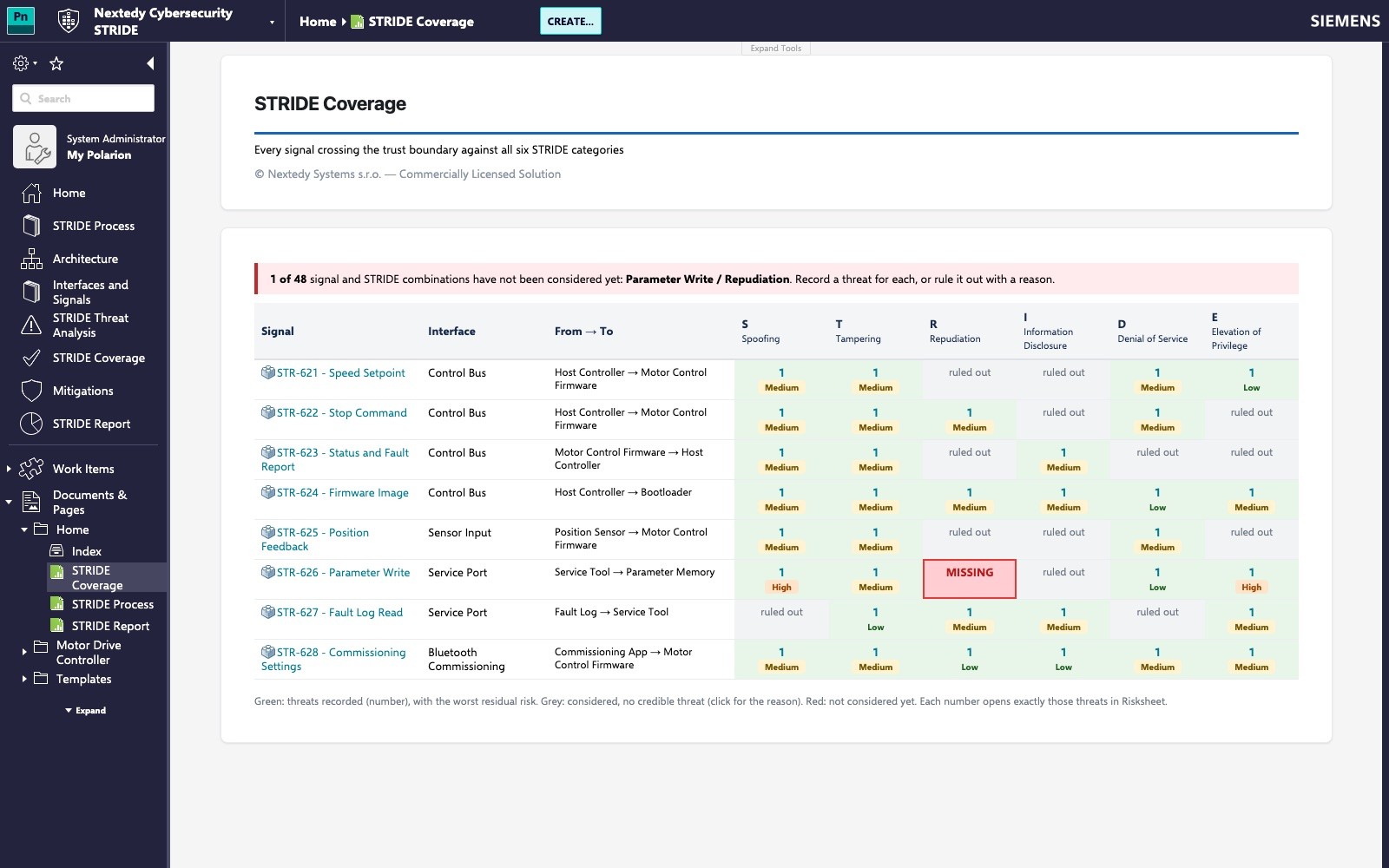
Closing it takes one new row in the threat analysis: the threat is typed in, likelihood and impact are rated, and the risk level follows from the matrix. Once saved, it is a Polarion work item linked to its signal and element, and the coverage page shows all six questions considered for every signal. The report beside it shows the risk matrix before and after treatment, the threats still open and the risks accepted or transferred, each with its reason.
The method is configuration
Likelihood and impact scales, the risk matrix, the risk levels with their colours and meanings, and the rule which STRIDE categories apply to which element type are all Polarion enumerations. Change them and the sheet, the process description and the reports follow. That is how the same demo adapts to the scales of ISO/SAE 21434, IEC 62443, IEC 81001-5-1 or DO-326A.
What this demo does not do
It does not generate threats from an architecture diagram, and it does not score published vulnerabilities in third-party components; that is the job of CVSS, which we show in a separate demo. The signals and elements are entered in the sheet rather than imported from a modelling tool.
Talk to us
If you want to see STRIDE threat modelling on your own product’s interfaces, book a meeting or read more about Risksheet.