
ISO/SAE 21434 threat analysis with automated scoring, built-in traceability, and zero spreadsheet chaos.
Every connected ECU needs a TARA. ISO/SAE 21434 says so. UN R155 says so. Your customer’s cybersecurity requirements say so.
And most teams still do it in Excel.
The spreadsheet starts clean. Three months later: 400 rows, seven frozen columns, three conflicting color schemes, and a formula that references a deleted sheet. The cybersecurity manager exports a PDF for the audit. Nobody asks what happens when a requirement changes.
There’s a better way.
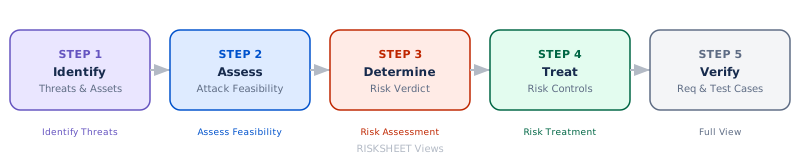
Five Steps, Five Views
A TARA follows five steps. Each step gets its own view — showing only the columns that matter right now, hiding everything else.
1. Identify Threats
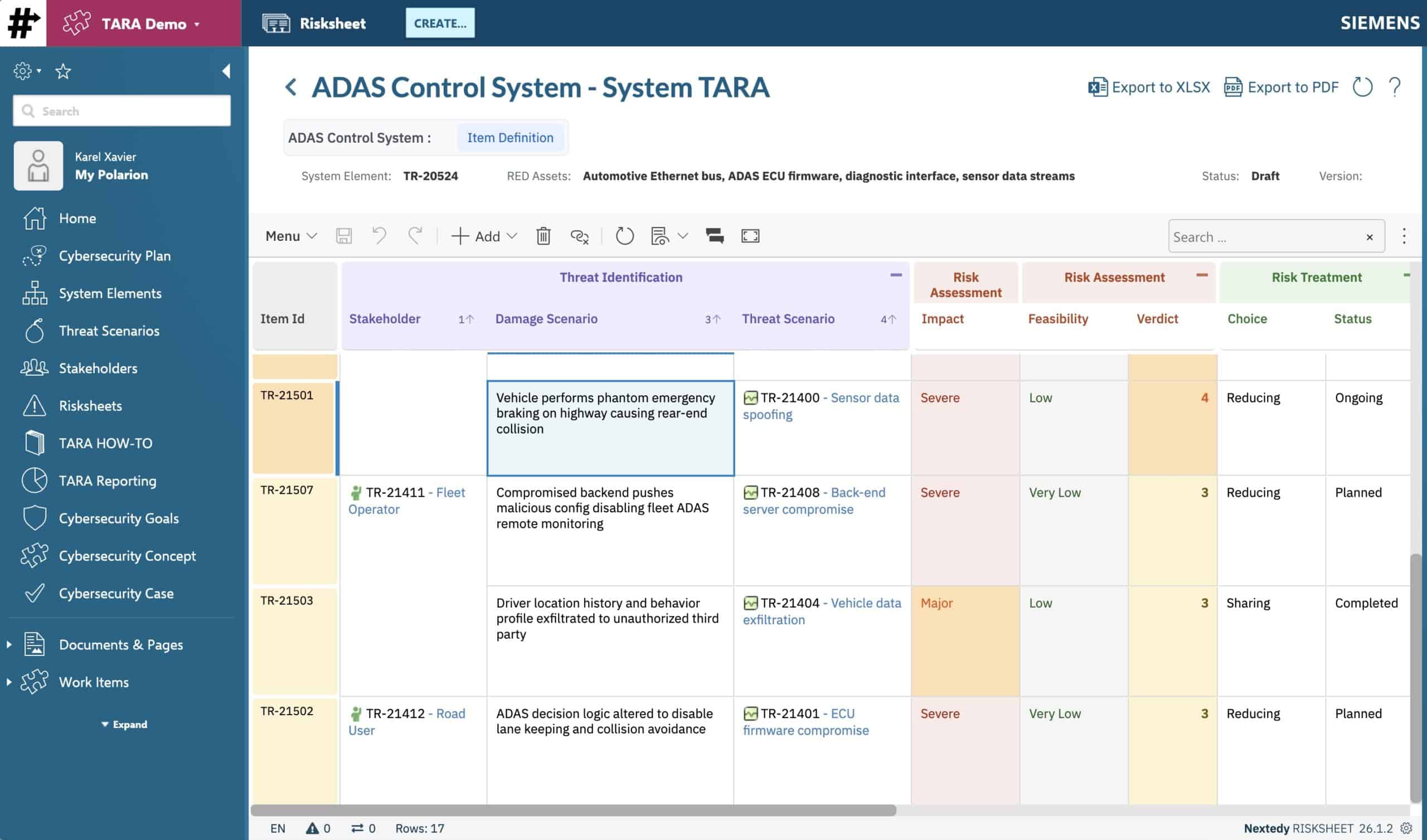
Pick a stakeholder from the catalog. Select a CIAx property. Describe the damage. Link a threat scenario. Define the attack path. All from dropdowns and linked catalogs — no free-typing into cells.
2. Score Feasibility & Determine Risk
Five factors per ISO 21434 Annex H: Elapsed Time, Expertise, Knowledge, Window of Opportunity, Equipment. Fill in the dropdowns — the feasibility level and the risk verdict calculate automatically.
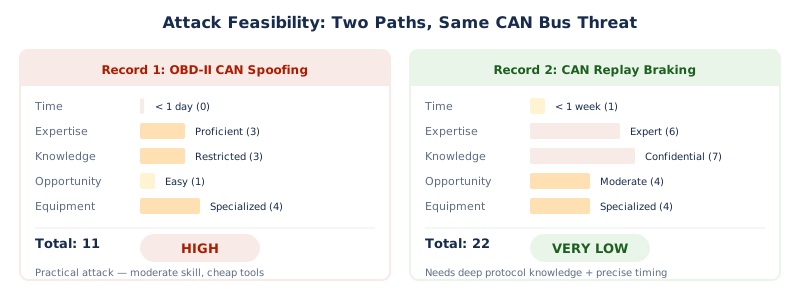
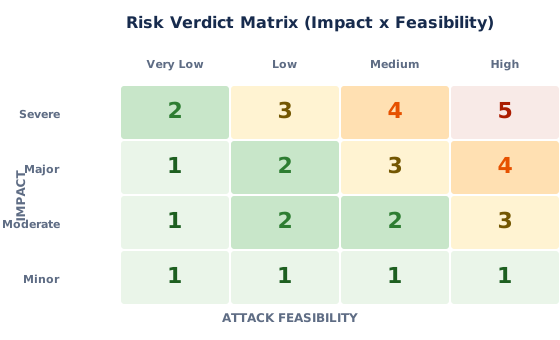
The verdict matrix maps Impact × Feasibility to a 1–5 risk level. Same threat, different attack path? Different verdict. Severity alone doesn’t determine risk — the attack path matters.
3. Treat & Verify
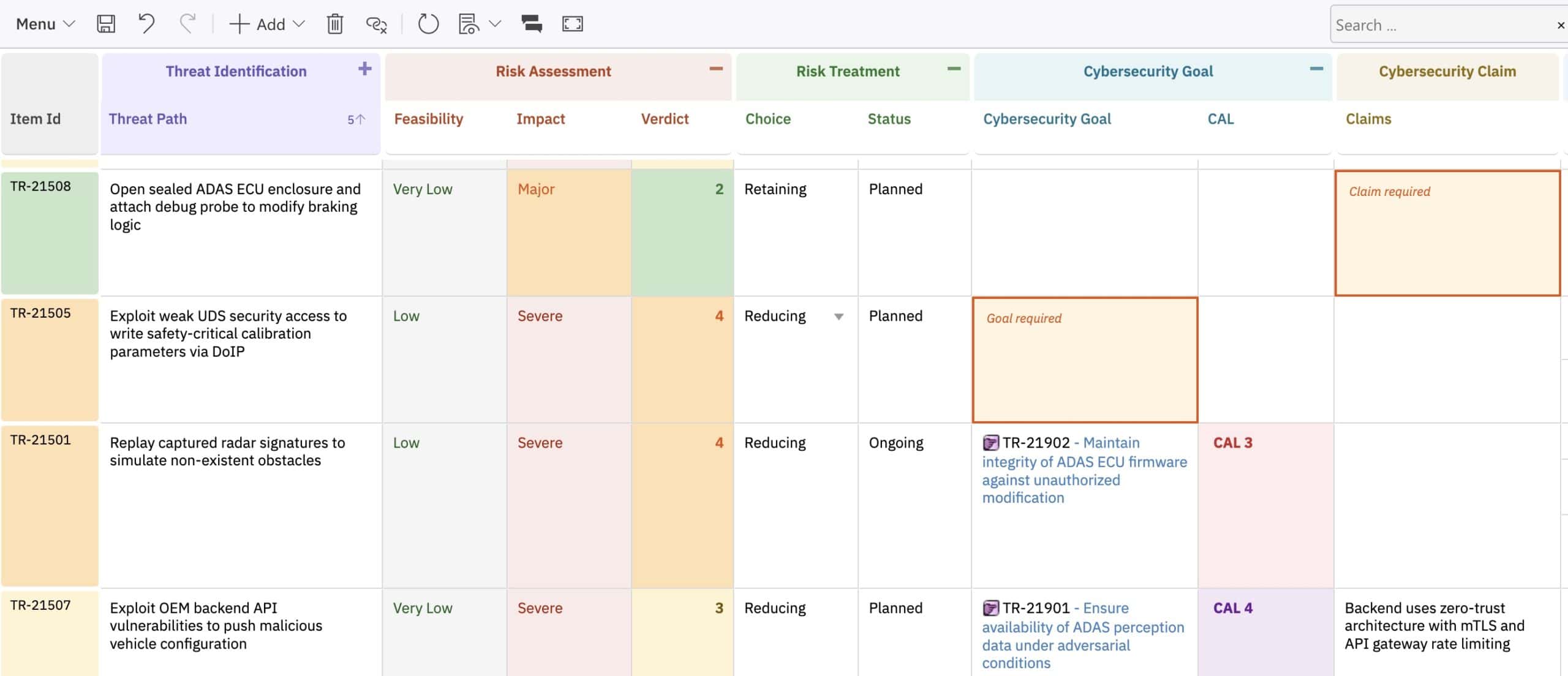
Every high-risk record gets a treatment decision:
Choose Reducing? You need a cybersecurity goal. Choose Retaining? You need a claim justifying why the risk is acceptable. RISKSHEET highlights missing artifacts so nothing slips through.
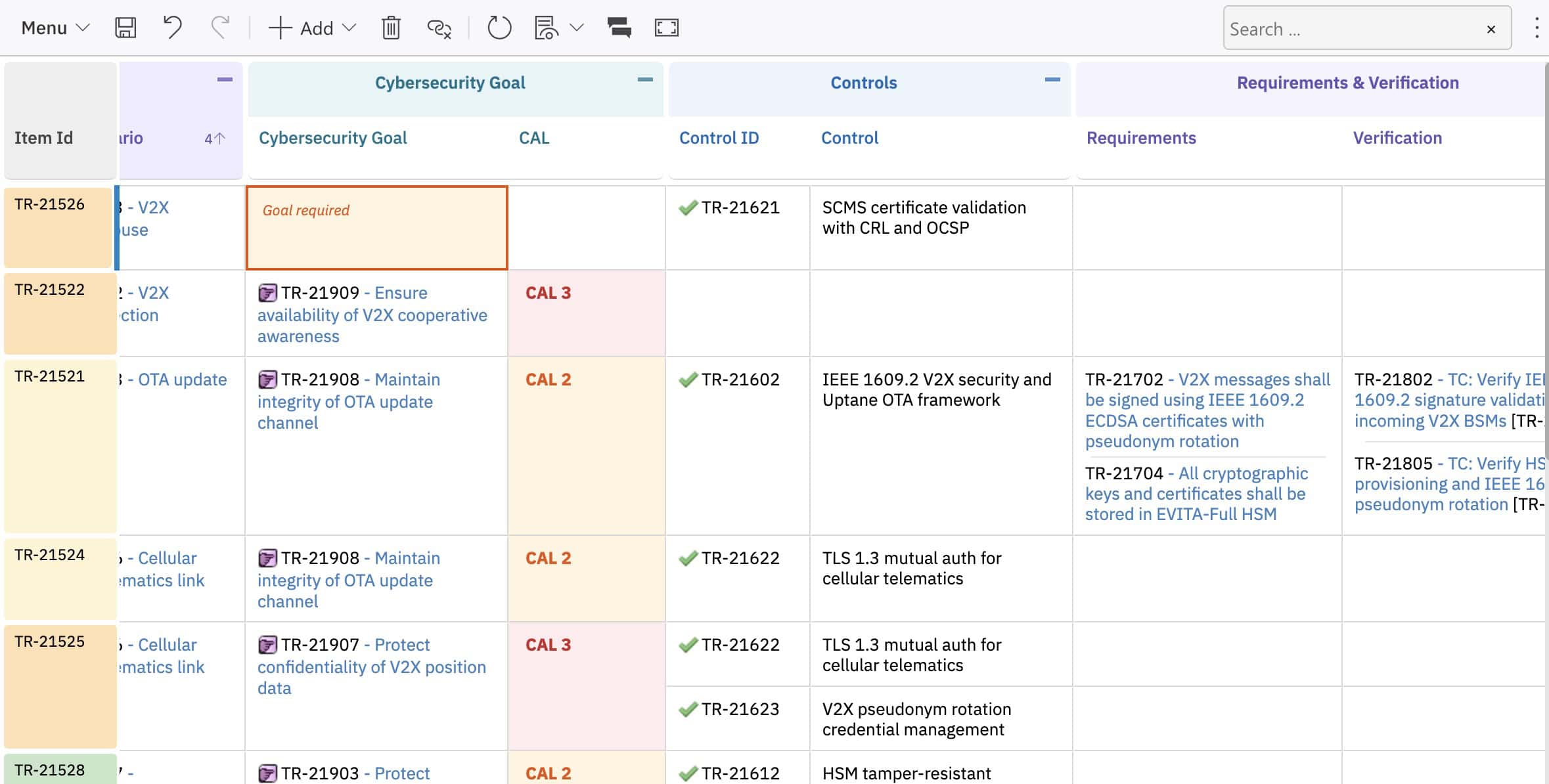
Goals trace to requirements. Requirements trace to test cases. Every link is a real Polarion relationship — not a cell reference that breaks when someone inserts a row.
What Changes When You Leave Excel
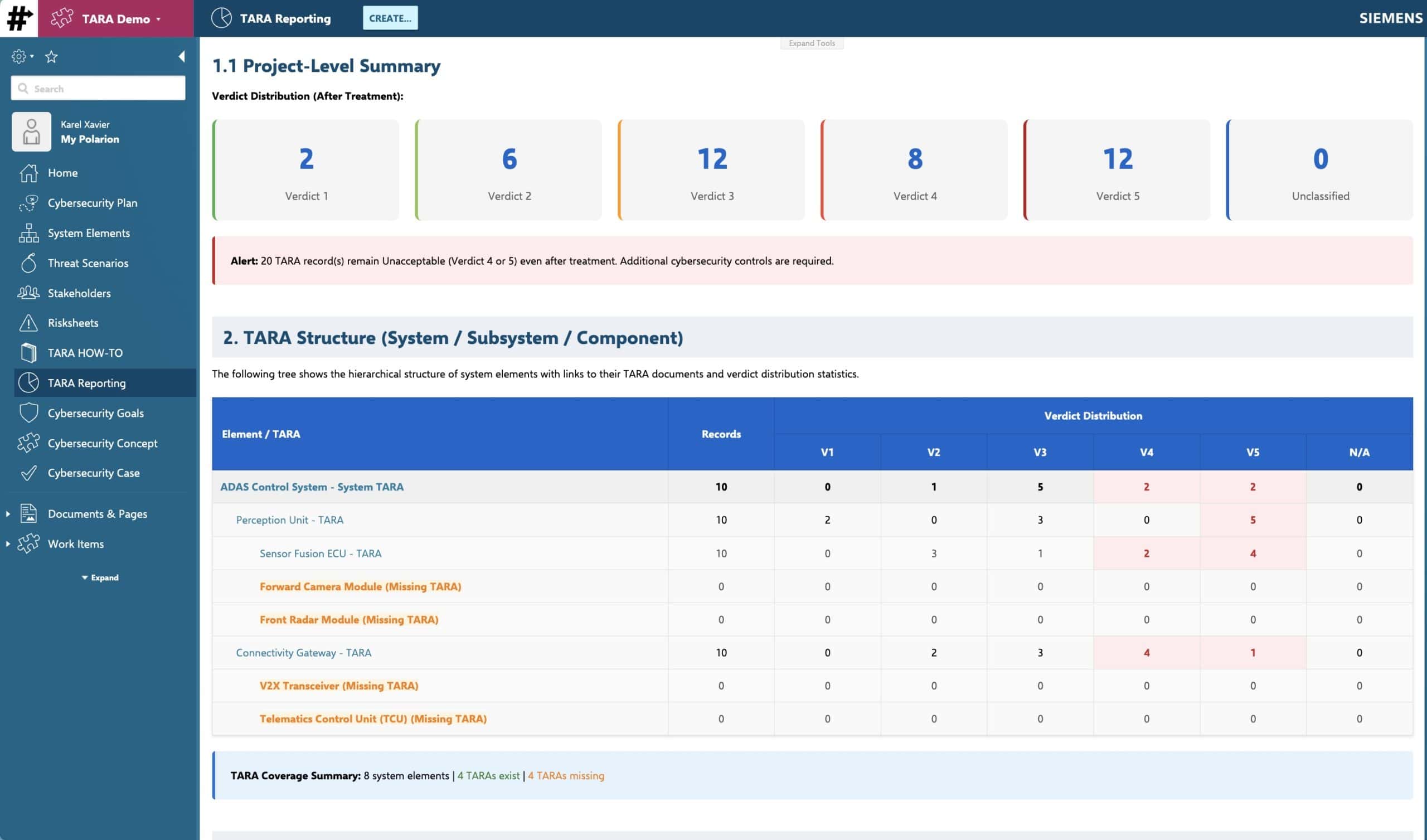
See it live
The complete TARA template — four modules, linked catalogs, automated scoring, traceability to requirements and test cases — ready to deploy.